Craftdot
Printable Graph Paper Pack
Free printable graph paper in 5mm and 8mm squares plus an 8mm ruled sheet, Letter and A4. True-size squares you can measure against. No signup, just print.
No email or signup. Printing instructions are below.
On this page
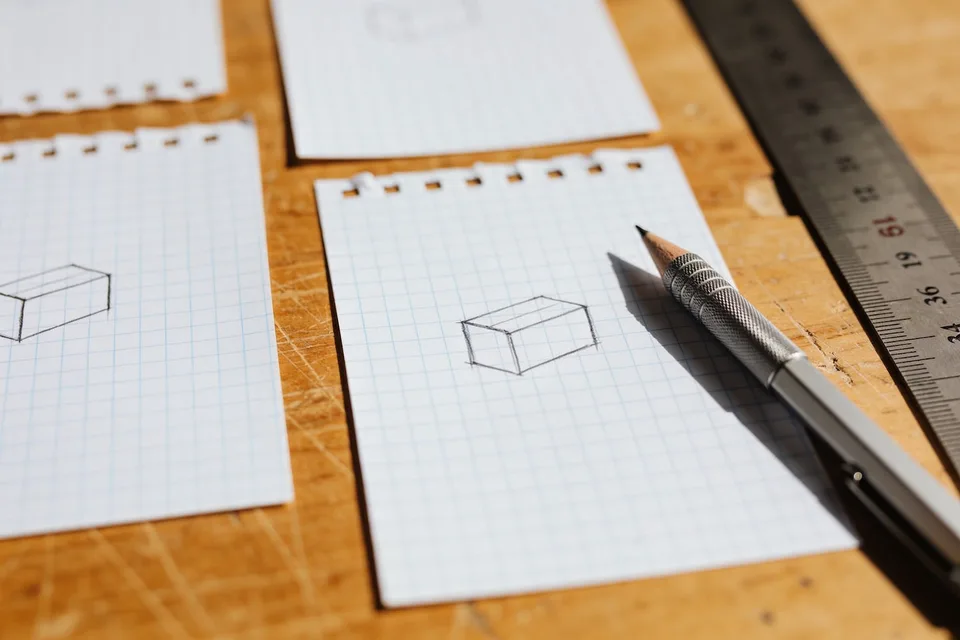
You will finish this with 5mm graph paper you can actually measure against, with squares that are 5mm on the page, not 4.9mm after your printer got helpful. Two minutes to print, one minute to verify.
This is the sheet we reach for when a craft needs numbers: cut sizes, fold positions, spacing a row of shapes evenly. Two squares is a centimetre, and most of the usefulness comes from that one fact.
Download: Graph paper, free PDF, Letter + A4. No signup, no tricks.
What you need
- The PDF
- Plain 80gsm printer paper
- A ruler with millimetres on it, for the one check that matters
Steps
-
Print the page that matches your paper. The pack is three sheets in Letter and the same three in A4: 5mm squares, 8mm squares, and an 8mm ruled sheet for when lines beat squares. Load one kind of paper and print the pages that match it. 5mm is the one to start with; the rest are below.
-
Set the print dialog to Actual Size before you press print. Fit to Page is the setting to watch here. It scales the sheet down a couple of percent so the whole grid fits inside the printer's unprintable margin, and every square shrinks with it. The grid still looks perfect on the page, which is exactly why this one catches people out. The squares are simply no longer 5mm.
-
Measure ten squares with a ruler. Do this on the first sheet, every time you print on a new machine. On the 5mm sheet, ten squares from line to line should read 50mm exactly. On the 8mm sheet it is 80mm, so check against the sheet you actually printed. If it reads 48 or 49, your scaling is off, so go back to step 2 and reprint.
-
Print the stack once the check passes. Ten sheets covers most projects. Keep them flat.
-
Use the lines, not the paper edge, as your reference. The grid stops a little short of the paper edge, because home printers cannot print edge to edge. When you are transferring a measurement, count from a printed line, never from the cut edge of the sheet.
-
Mark cut lines in pencil, lightly. Graph paper takes pencil beautifully and erases badly, because the graphite sits in the toner. Press light and you will get one clean erase; press hard and you will get a grey smudge across your squares.
The other two sheets
8mm squares are the sketching size. When you are roughing out a shape rather than measuring one, 5mm squares crowd the drawing and you end up counting instead of looking. 8mm gives you the same guidance with a third fewer lines on the page.
The 8mm ruled sheet is in the pack because squares are sometimes the wrong tool. Writing a list of cut sizes, labelling a set of tags, planning steps in order: lines beat squares for anything that reads left to right. It is the same 8mm spacing, so a piece laid out on the graph sheet transfers to the ruled one without re-measuring.
Why 5mm and not 1cm
5mm is the size that does both jobs. It is fine enough to lay out a small template like a tag, a fold or a punch position, and coarse enough to count across a whole sheet without going cross-eyed. Two squares is a centimetre, four is two, twenty is ten.
You can size a piece of card by counting rather than measuring, which is faster and, honestly, more accurate than most of us are with a ruler at speed.
If you are sketching rather than measuring, so planning a layout or roughing out a shape, the 8mm dot grid pack is the friendlier sheet. Use graph paper when you need numbers, and dot grid when you are still working the idea out.
One variation
Print a sheet, draw your template shape on it, then cut the shape out of the graph paper itself. You now have a template with its own measurements printed across it. Trace round it onto card, and if you ever need to scale the piece up or down you can read the original dimensions straight off the template.
We use these for repeat shapes like the leaves in a paper leaf garland, where every piece needs to match the last one.
Graph paper also makes a good backing sheet for any straight-line cut. Tape it to your cutting surface, line the card up against a printed line, and your blade has something to follow.
Download: Graph paper, free PDF, Letter + A4. No signup, no tricks.
Before you go
Do the ten-square ruler check once on each printer you use, then write "OK" in the corner of a sheet and keep it. Next time you print, you can compare against it in three seconds instead of hunting for the ruler. More free sheets on the free printables page.
Common questions
What square sizes are included?
5mm squares, 8mm squares, and an 8mm ruled sheet, each in US Letter and A4. That covers ordinary maths work and the larger squares that suit planning and sketching.
How do I know the squares printed true to size?
Measure ten squares on the 5mm sheet: they should span 50mm. On the 8mm sheet, ten squares span 80mm. If either measures short, your printer is scaling the page and you want Actual Size instead of Fit to Page.
Is it really free with no signup?
Yes. It is a direct PDF download with no email, no account and nothing to fill in first.